

“Calm” may mean a still camera to one writer and a slowly moving subject to another. “Cinematic” might suggest dramatic light, a wide view or a camera move. Before trying a free AI video generator with no signup required, decide which of those things you actually want to see.
Keep the mood as your creative aim. Give it a visible expression: an object, a change, a range of movement and a viewpoint. The seaside windsock in this article is an original planning example. The illustrations and prompts are not frames or findings from a video test.

Choose what carries the mood
Imagine a red windsock fixed to a pole on a rocky seawall. You want a quiet opening for a short coastal story. The sea and cliffs establish the place; the free fabric tip supplies the movement.
A vague prompt might be:
A calm, cinematic seaside scene with a red windsock.
That says little about what should change. The camera could drift, the fabric could whip sharply, or the frame could become a broad landscape in which the windsock is barely visible. These are possible interpretations, not results observed here.
Make one visual choice first: the tip moves gently while the mouth stays attached to the same point. That gives the scene something you can describe without claiming that every viewer will feel the same emotion.
Replace a feeling word with a visible relationship
You do not need a long list of technical terms. Answer four ordinary questions.
What moves? The free end of the red fabric, rather than the pole or the whole view.
How much? A small sway in the open space beside the pole, rather than a large sweep across the picture.
What stays? The mouth rim, attachment point, pole, horizon and camera position.
Where does the movement end? The tip finishes a little higher and farther right than it begins, while remaining in view.
The unchanged elements matter because they make the small change readable. If the camera and horizon move too, the viewer may be watching a different idea from the one you meant to explore.
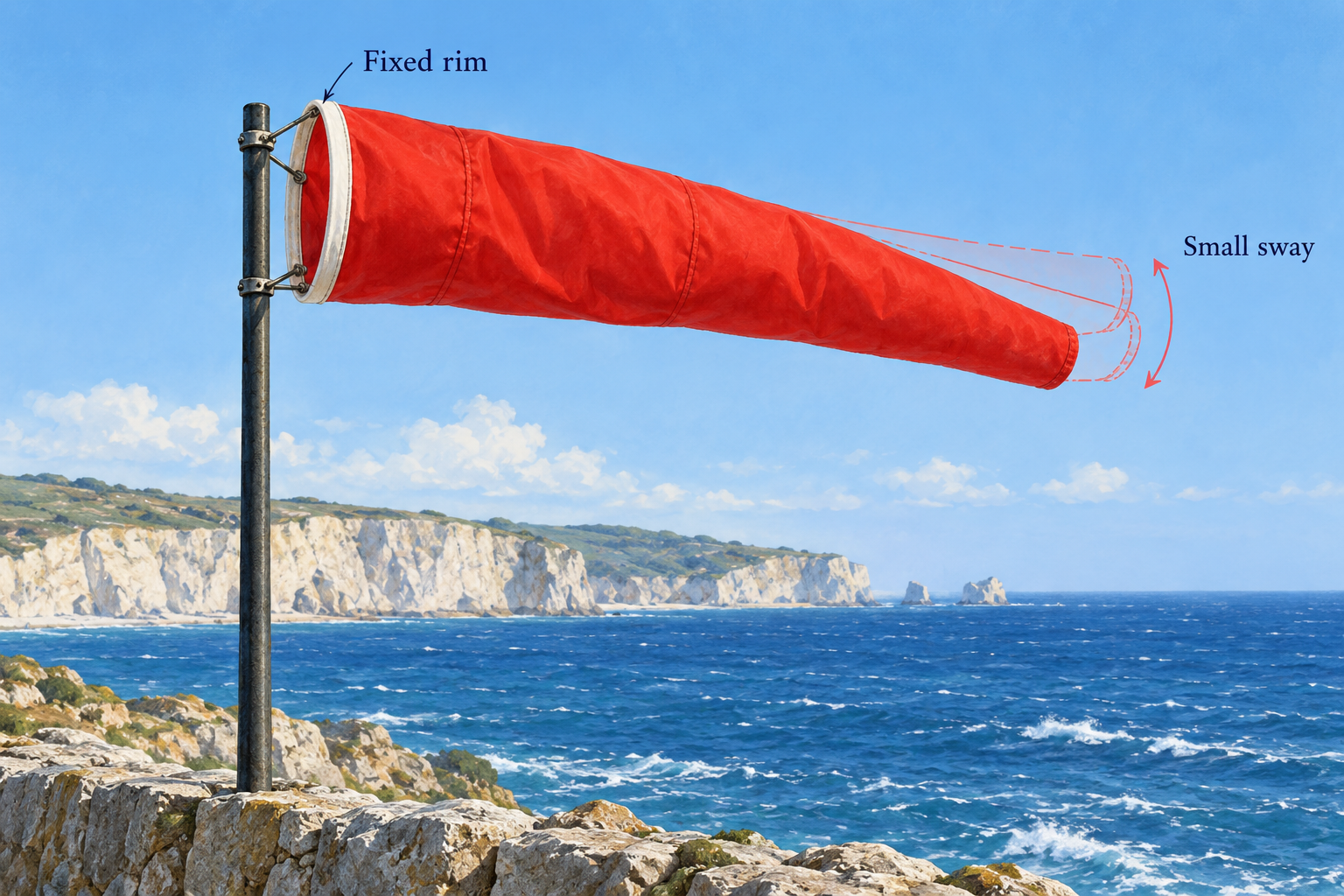
A more specific proposed prompt is:
A solid red fabric windsock with a plain white mouth rim is fixed to a thin dark pole on a rocky seawall. The free fabric tip gently sways within a small arc to the right. It begins slightly below the rim’s height and finishes a little higher, still inside the frame. The mouth and pole stay fixed. A steady medium-wide camera keeps the whole windsock visible against the sea and pale cliffs. Soft light and the horizon remain steady. One continuous five-second scene, without signs or lettering.
You can still add “quiet coastal atmosphere” as a style direction. It now accompanies a defined scene instead of doing all the work.
For a different feeling, change a visible choice deliberately. A stronger sweep would be a different movement brief. A closer view would change what the audience notices. Changing both at once makes it harder to explain which choice serves your story.
Give MiniMax H3 prompts the right input boundaries
A prompt also has to fit the route you open. The AI VideoWeb general free page and its separate Free MiniMax H3 page use a five-second, 480p form. As checked on 29 October 2026, the free routes describe text input or an ordered pair of starting and ending images; both images are required when choosing the image route.
For this windsock, compatible endpoint pictures would keep the mouth, pole, viewpoint and horizon in the same place. Only the intended fabric position changes. If you only have one picture, it is not the complete paired-image input for this form. Text-only exploration is another option for an invented scene.

Do not turn a search for MiniMax H3 prompts into assumptions about advanced settings. The separate advanced model page has its own options. Its audio, higher-resolution or longer-duration descriptions are not settings you can add to the fixed free form merely by writing them into a prompt. A page label alone also does not establish the exact backend model version.
The AI VideoWeb free AI video generator is a place to try the concrete scene you have prepared. Its general free page states no signup, no credit purchase and no total generation cap; the form shows 0 credits. Submission includes verification, and free-queue waiting may occur. These are documented conditions, not a measured completion time.
Read the candidate against the choice you made
After an actual attempt, look first at the fabric tip and its attachment. Did the intended part move? Did the rim stay in place? Did the small movement remain visible without a camera move taking over?
Describe the difference in scene terms: “the tip travels too far” is more useful for the next prompt than “not calm enough.” If the motion is right but the framing hides it, change the framing. If the view is clear but the movement feels too strong for your purpose, revise its range. Your judgement supplies the connection between the visible choice and the mood you wanted.
Disclosure: This article was prepared by the AI VideoWeb team at FLAQ TECH PTE. LTD., with AI assistance for writing and illustrations.





Responses (0)